Quick Answer
The GTA 6 HUD is divided across four screen corners. The top-left holds your Health, Stamina, and Focus bars. The top-right shows your ammo count and wanted stars. The bottom-left holds the minimap highly customizable, with an optional 3D satellite-style view. Everything else, including button prompts and warnings, fades in only when relevant, then disappears. Players can strip the screen down to near-nothing, or tap the D-pad to restore the full HUD. All details come from pre-release footage captured on PS5, so minor elements could still change before launch on November 19, 2026.
The Four Corners at a Glance
Confirmed (from the Extended Look): The screen is organized into four fixed zones. Once you learn the layout, reading the HUD becomes almost instinctive.
| Screen Area | What It Shows |
| Top-left | Health, Stamina, and Focus bars (your vitals) |
| Top-right | Ammo count and wanted stars |
| Bottom-left | The minimap and your route |
| Everywhere else | Button prompts, warnings, and notifications that appear only when needed |
The most notable shift from GTA 5 is restraint. The screen stays mostly empty during normal play — closer in philosophy to Red Dead Redemption 2 than to the information-heavy GTA 5 HUD.
The GTA 6 Minimap

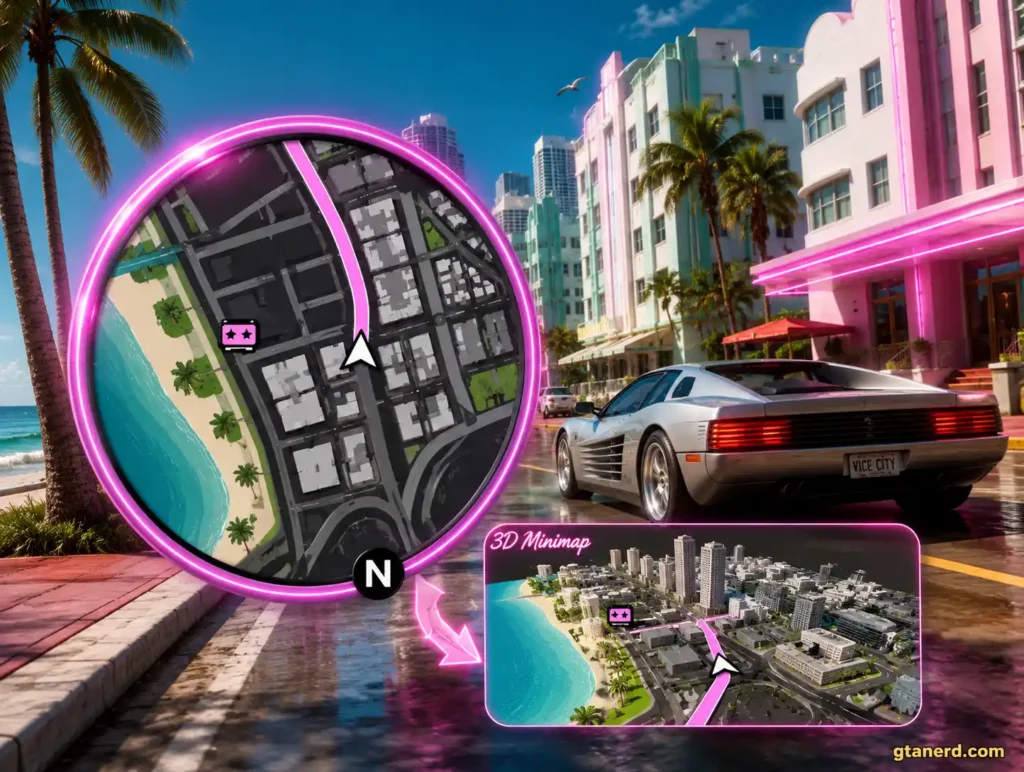
GTA 6 Minimap
Hover or tap the map to explore how navigation changes between 2D and 3D views.
The minimap returns to the bottom-left corner, but nearly everything about it has been rethought.
Confirmed:
- It is highly customizable. Players can switch between a 2D and 3D view, or remove the minimap entirely in favor of a compass at the top of the screen, the same option Rockstar introduced in Red Dead Redemption 2.
- It has a 3D mode. At certain moments, the minimap transitions from a flat map into a real-time 3D satellite rendering of Vice City’s buildings and structures as you drive past them. This is the standout feature generating the most discussion online.
- Driving changes its shape. Behind the wheel, the minimap becomes a rounded rectangle. A pink line traces your route to a waypoint, a live distance readout ticks down in real time (for example, 1.62 miles dropping to 0.80), and a small arrow inside a dark circle marks your current position.
- It hides itself. On foot, when nothing significant is happening, the minimap can fade from view for a cleaner look then reappear automatically when you enter a vehicle or the action escalates.
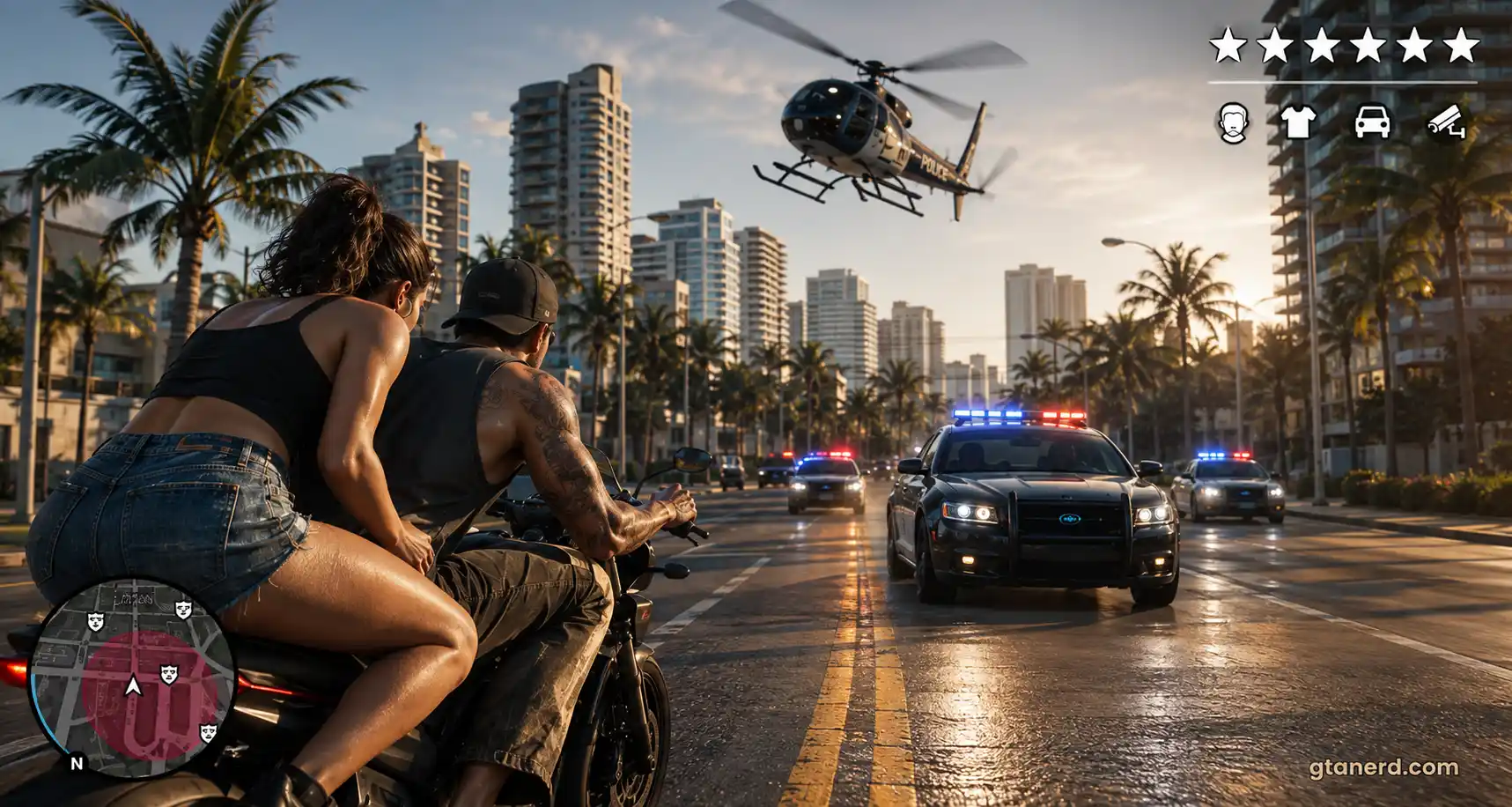
- Cops are no longer visible on it. This is a significant change. In GTA 5, police dots appeared on the minimap during chases. In GTA 6, hostile officers generally do not appear there. Instead, during a manhunt, the minimap flashes and the surrounding area tints red-pink to show the active search zone giving you a sense of how far you need to travel to escape. To actually locate individual officers, you use the Focus system.
Your Vitals: Health, Stamina, and Focus
Confirmed: The top-left corner displays three thin horizontal bars, a cleaner, more minimal look than the curved segmented bars of GTA 5.
- Health is the pink bar marked with a heart icon. It drops when you take damage, refills when you use healing items, and its maximum capacity can increase permanently as you train your character’s body.
- Stamina governs sprinting and sustained physical effort, and like health, it can be built up over time through regular activity.
- Focus is the purple bar marked with an eye icon. It is a resource tied to heightened awareness and precision aiming, replenished through activities out in the world.
All three function similarly to Red Dead Redemption 2‘s core system: short-term use depletes them, while long-term play can raise their ceilings.
GTA 6 hides most of the HUD by default to keep the screen cinematic. Tap the D-pad down anytime to instantly bring back your cash, your bars, and the minimap, then let them fade away again.
The Focus Meter: GTA 6’s Version of Dead Eye
Confirmed: Focus is the most mechanically interesting meter in the GTA 6 HUD. It works similarly to Michael’s slow-motion ability in GTA 5 and Dead Eye in Red Dead Redemption 2 activating it slows time, giving players a window to act with precision.
What makes Focus broader than Dead Eye is its dual targeting capability. It highlights weak points on both enemies and vehicles simultaneously. On a person, that means identifying vulnerable spots. On a vehicle, players can target the tires, the engine block, or the gas tank separately making high-speed takedowns considerably more deliberate and tactical than simply opening fire.
One key distinction from Dead Eye: Focus does not auto-fire. Players still aim and shoot manually. Focus is also the primary tool for locating police officers once they leave the minimap during a wanted level.
For a deeper look at how Focus works in combat, see our GTA 6 combat system guide.
Ammo and Wanted Stars
Confirmed: The top-right corner carries the ammo counter and the wanted level indicator. GTA 6 brings back a six-star wanted system, and it is meaningfully smarter than the one in GTA 5. Small symbols beneath the stars communicate exactly what law enforcement knows about you, your face, your clothing, whether you are armed, and the vehicle you are driving.
That expanded police awareness is why simply driving away is no longer a reliable escape strategy. Officers can recognize and pursue you based on accumulated intel, not just your last known position.
Full details on the GTA 6 wanted system are in our wanted system guide.
On-Screen Prompts
Confirmed: Button prompts display as plain white text paired with controller glyphs. They appear in three distinct locations depending on context:
- At the interaction point itself: Labels like KNOCK on a door or BAG on a dropped item appear directly on the object.
- Bottom-center: Vehicle entry prompts appear here.
- Right edge: Contextual actions — PET, SCOLD, STUDY — stack vertically along the right side of the screen when you approach a person or animal.
The placement system keeps the center of the screen unobstructed while still surfacing everything you can do in a given moment.
Combat Hit Feedback
Confirmed: During gunfights, the HUD delivers color-coded feedback on your shots. White indicates a standard hit, yellow signals that an enemy has been knocked out or incapacitated, and red marks a kill. A yellow flash also pulses around the screen edge when Lucia knocks someone unconscious — a subtle but effective way to confirm the outcome of a fight without cluttering the display.
Can You Customize or Turn Off the GTA 6 HUD?
Confirmed: Yes — and this is where GTA 6 leans hardest into its clean aesthetic. Rockstar’s default mode keeps the screen mostly bare. A tap of the D-pad brings up the full readout when needed, including cash, vital bars, and the minimap. Players can also toggle the minimap between 2D and 3D, or remove it entirely in favor of a compass.
The result is a genuine spectrum of choices: from a fully arcade-style information overlay to an almost completely bare cinematic view. GTA 6 is better suited for players who want HUD control than any previous Rockstar title.
Why Some Fans Are Divided
Analysis: Community reaction to the new interface has been mixed. Many players welcome the cleaner, more modern design particularly the 3D minimap, which they see as a meaningful upgrade. Others are skeptical, arguing that the minimalist aesthetic feels too sparse, and that removing police from the minimap will make wanted-level chases harder to read in the heat of the moment.
Both reactions are reasonable. The practical upside is that extensive customization means players are not locked into either extreme. Whether you want stripped-back immersion or a data-rich screen closer to GTA 5’s style, the settings appear to accommodate both.
Can You Get the GTA 6 Minimap in GTA 5?
Confirmed: Partially, via a fan-made PC mod. A modder released a “GTA VI Styled Minimap and HUD” mod for GTA 5 on PC that reskins the minimap shape, border, and waypoint color to match GTA 6’s aesthetic, along with adjustments to the surrounding HUD.
It does not replicate GTA 6’s 3D satellite view that is a deeper technical feature and it requires PC modding tools to install. It changes the visual presentation only, not any underlying gameplay mechanics. It is not made by or affiliated with Rockstar Games.
GTA 6 HUD FAQs
Our verdict
The Strategist
Confirmed:
The GTA 6 HUD is a clean, four-corner layout: vitals in the top-left, ammo and wanted stars in the top-right, minimap in the bottom-left, and context-sensitive prompts that appear only when relevant. The minimap is the headline feature — a 3D satellite view, a pink driving route, and enough customization to reduce it to a compass. Focus doubles as a Dead Eye-style slow-motion tool and the primary method for locating police, who no longer appear as dots on the map.
The Wildcard
Unconfirmed:
All details originate from pre-release PS5 footage, meaning exact positions, labels, and toggle options could shift before launch. Rockstar has not released a full HUD settings menu, so the complete range of customization options remains unknown. Leaked clips suggested the minimap position may be movable, but that has not been officially confirmed.
Sources & Verification
Details come from the Grand Theft Auto VI Extended Look, aired August 27, 2026, captured on PS5, alongside developer comments from Rockstar North’s Rob Nelson regarding the clean default HUD presentation. All elements described were visible on screen during that broadcast. The GTA 5 minimap mod referenced is a third-party fan creation and is not affiliated with Rockstar Games or Take-Two Interactive. GTANerd is an independent fan site with no affiliation to Rockstar Games or Take-Two Interactive.

I’m Nolan Veyne, a GTA writer and editor at GTANerd with a long-time interest in Rockstar Games and the Grand Theft Auto series. I cover GTA VI news, trailers, characters, vehicles, gameplay, and major updates, with a focus on keeping things clear, accurate, and easy to trust. I like digging into the details, but I’m careful to separate confirmed information from analysis and rumors so readers always know what is fact and what is not.